
チュートリアル⑥基本的な要素のスタイル
CSS を編集し、基本的な要素のスタイルを設定してみましょう。
このチュートリアルの目標
- セクションのスタイルを設定できる
- 見出しのスタイルを設定できる
- ソースコードのスタイルを設定できる
- 図のスタイルを設定できる
- 脚注のスタイルを設定できる
基本的な要素のスタイル
原稿中によく出現する基本的な要素のスタイルを CSS で設定します。このチュートリアルでは CSS とともにスタイルの一例を紹介しますので、自分好みのスタイルに変更してみてください。
このチュートリアルで紹介するスタイルを記述した theme.css は以下のボタンからダウンロードできます。
セクションのスタイル
body > section {
  margin: 10px auto;
}
見出しのスタイル
body {
  counter-reset: section subsection figure;
}

section > h1, section > h2, section > h3, section > h4, section > h5, section > h6 {
  padding: 0;
  font-weight: bold;
  break-after: avoid;
}

section > h1 {
  margin: 10pt auto 5pt;
  font-size: 14pt;
  line-height: 1.5;
  counter-increment: section;
  counter-reset: subsection;
}

section > h1::before {
  margin-right: 1rem;
  content: '§' counter(chapter) '.' counter(section) ' ';
}

section > h2 {
  margin: 8pt auto 4pt;
  font-size: 12pt;
  counter-increment: subsection;
}

section > h2::before {
  margin-right: 1rem;
  content: '§' counter(chapter) '.' counter(section) '.' counter(subsection) ' ';
}
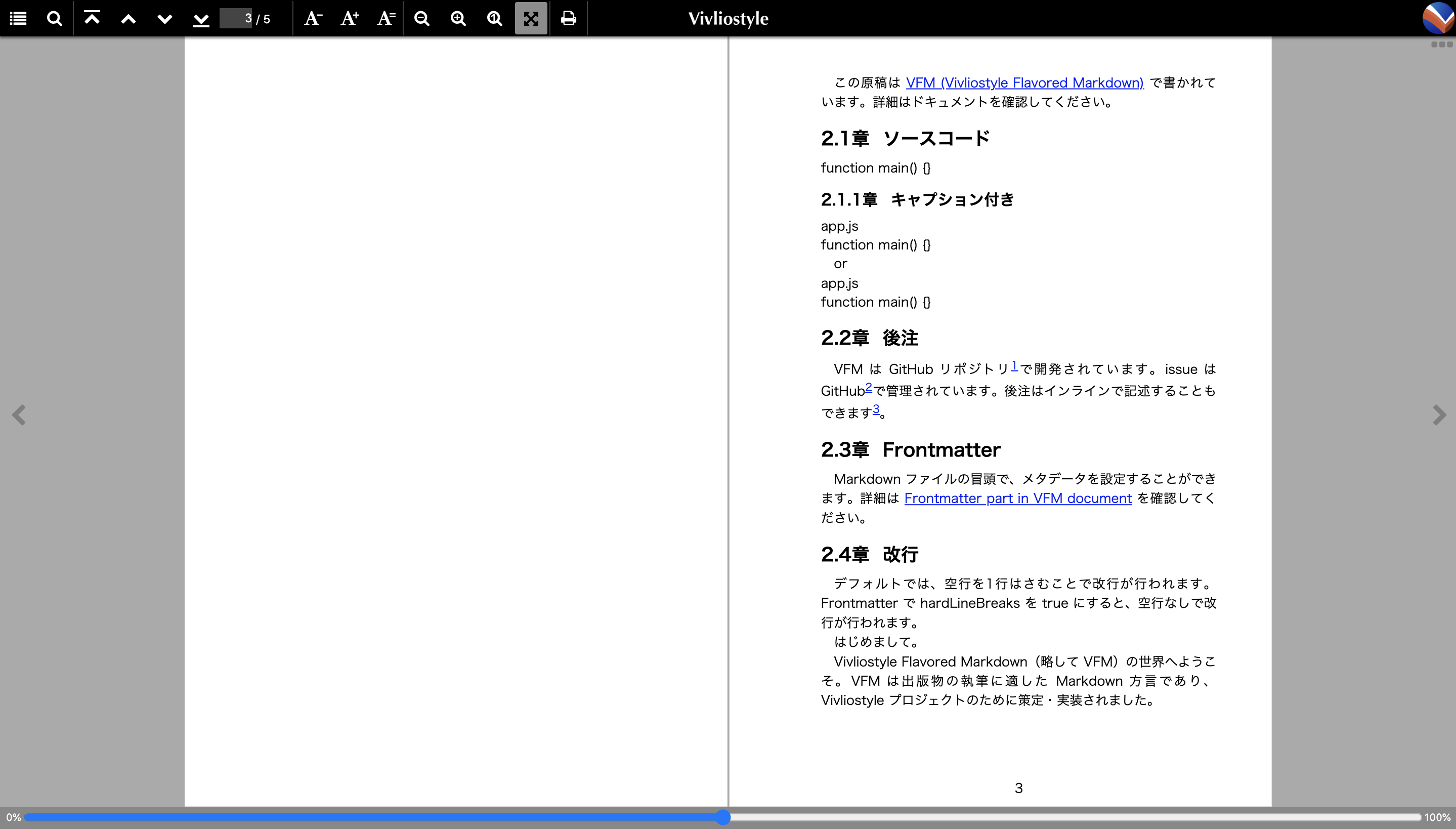
ソースコードのスタイル
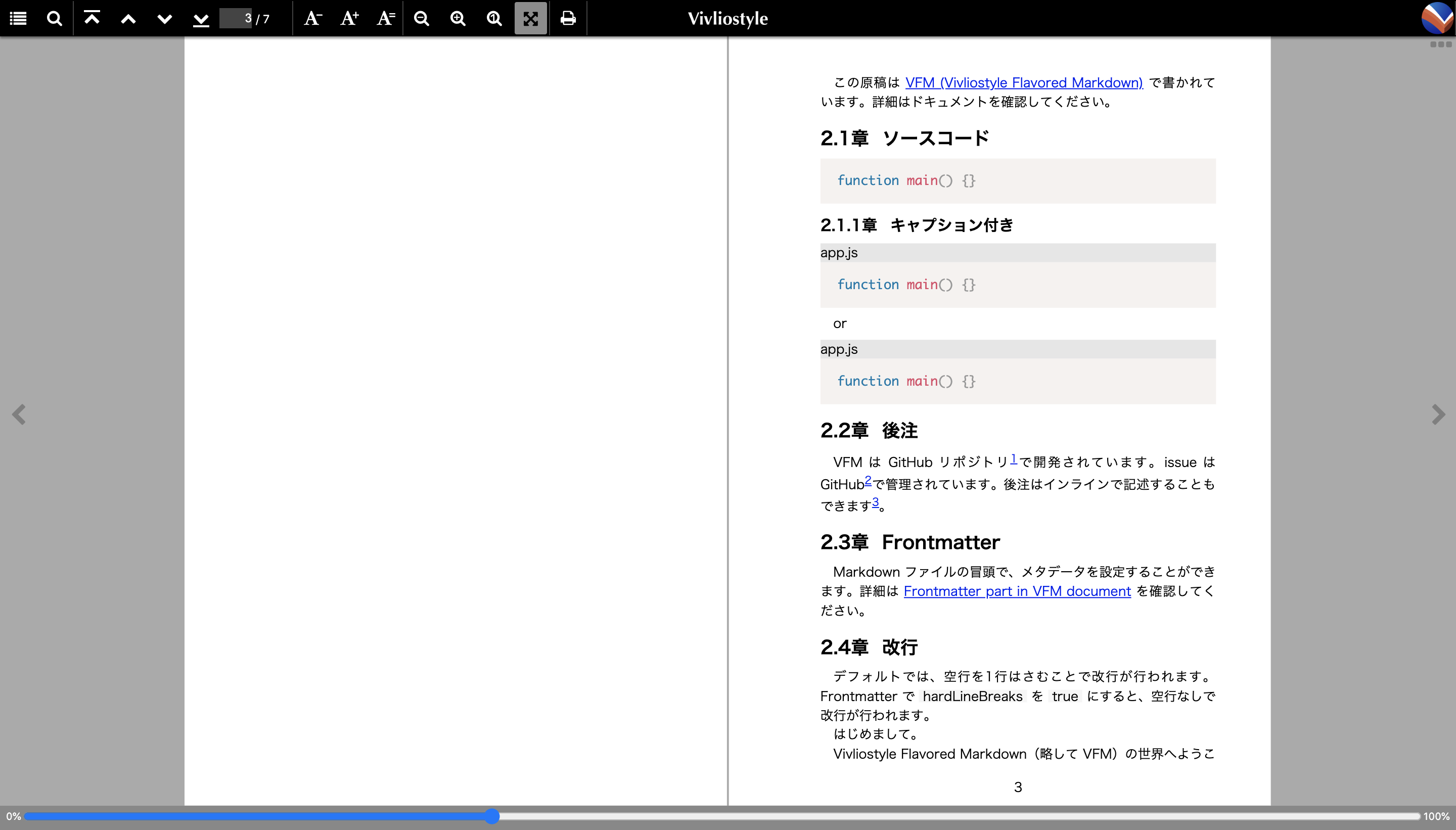
ソースコードのシンタックスハイライトには Prism.js が使えます。Prism.js の CSS を読み込み、キャプションなどのスタイルを設定します。
@import 'https://cdnjs.cloudflare.com/ajax/libs/prism/1.28.0/themes/prism.min.css';

code {
  background-color: #f6f6f6;
  padding: 0 3pt;
}

figure[class^='language-'] {
  margin: 0.5em 0;
}

figure[class^='language-'] figcaption {
  background-color: #e6e6e6;
}

figure[class^='language-'] pre {
  margin: 0pt;
}
図のスタイル
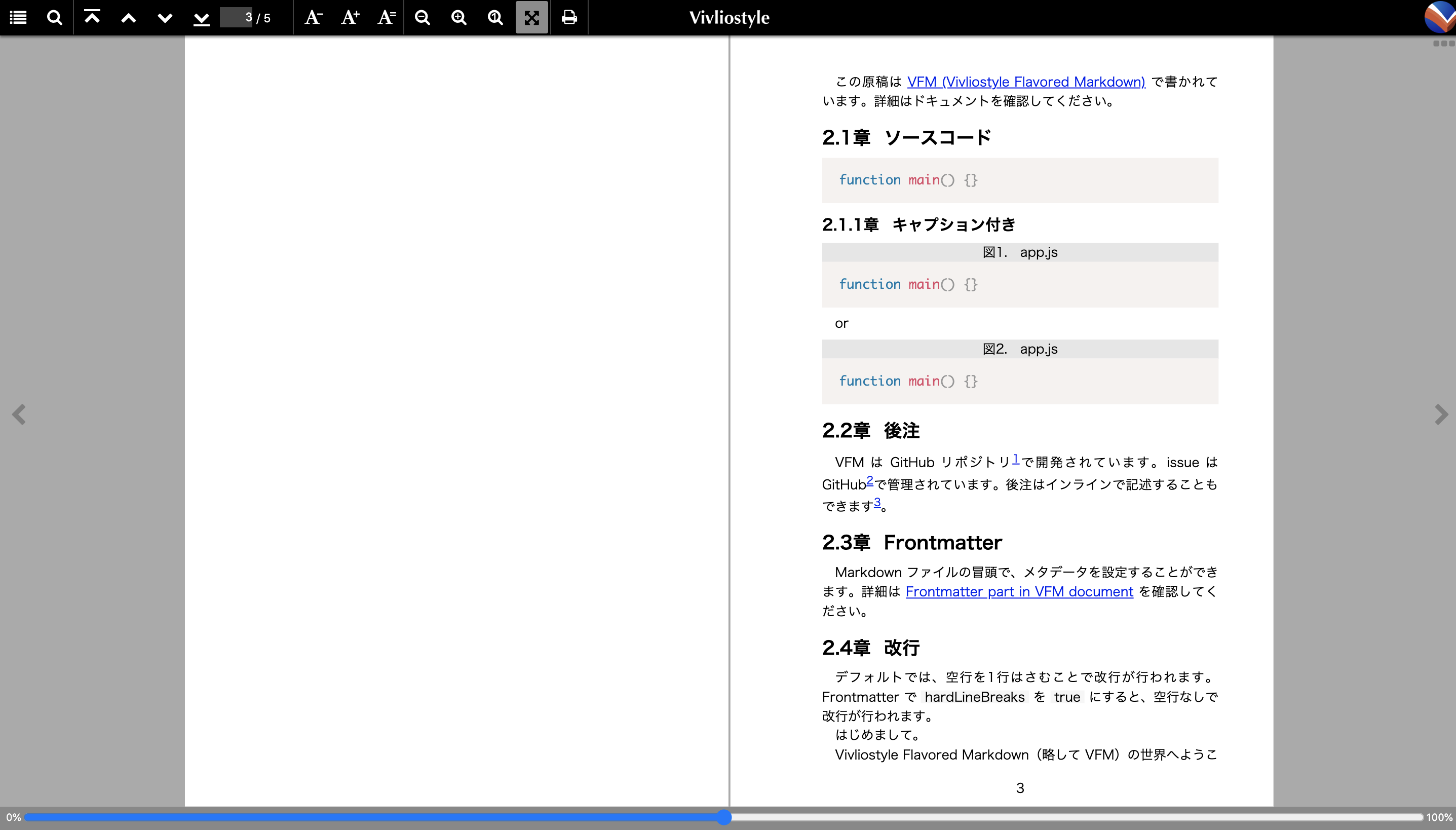
CSS カウンタで図にも番号を振っておくと便利です。
img {
  max-width: 100%;
  display: block;
  margin: 0 auto;
}

figure figcaption {
  text-align: center;
  counter-increment: figure;
}

figure figcaption::before {
  margin-right: 1rem;
  content: 'Figure' counter(figure) '.';
}

:root:lang(ja) figure figcaption::before {
  content: '図' counter(figure) '.';
}
脚注のスタイル
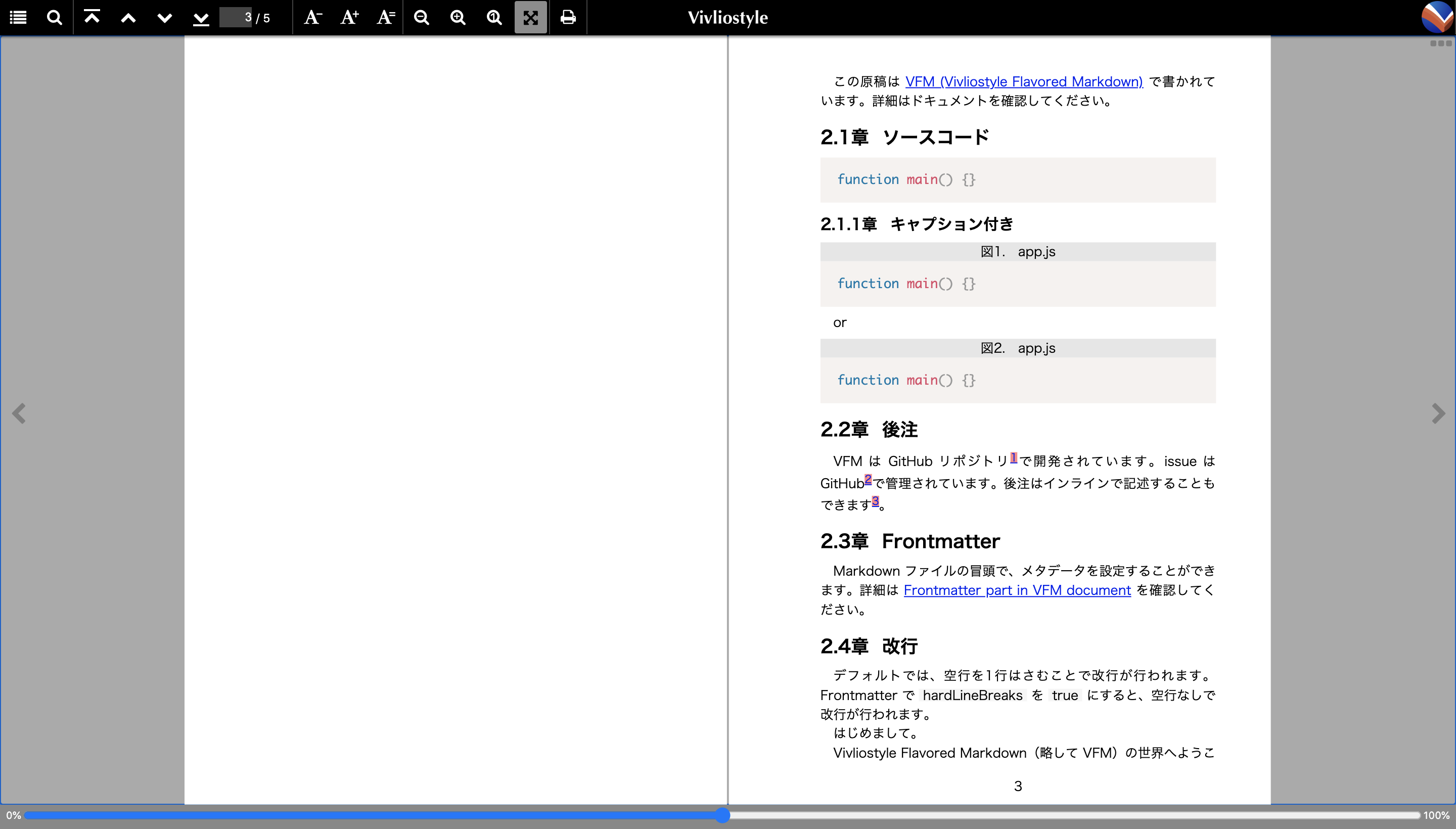
Vivliostyle では VFM の dpub(DPUB-ARIA)形式の脚注出力を使うと、脚注が各ページの下部に配置される本格的な脚注として組版されます。dpub 形式では、脚注の参照元に footnote-ref、参照先(上付きの脚注番号、例: ¹)に footnote-back、脚注本体(<aside> 要素)に footnote というクラスが付与されます。vivliostyle.config.js に以下の設定を追加することで dpub 形式が有効になります。
export default defineConfig({
  vfm: {
    footnote: 'dpub',
  },
  // ...
});
.footnote-ref sup {
  background-color: #ff8989;
}

.footnote-back {
  background-color: #ff8989;
}

.footnote {
  font-size: 8pt;
}
まとめ
このチュートリアルでは、基本的な要素のスタイルを定義しました。以上のスタイルを記述した theme.css は以下のボタンからダウンロードできます。
次のチュートリアルでは、目次を作成します。