
Tutorial ⑥ Styles for Basic Elements
Edit your CSS to style the basic elements in your publication.
Goals of This Tutorial
- Configure styles for sections
- Configure styles for headings
- Configure styles for source code
- Configure styles for figures
- Configure styles for footnotes
Styles for Basic Elements
Set the styles for common elements that appear in manuscripts using CSS. This tutorial introduces example styles along with the CSS — feel free to adapt them to your own preferences.
Download the theme.css with the styles introduced in this tutorial using the button below.
Section Styles
body > section {
  margin: 10px auto;
}
Heading Styles
body {
  counter-reset: section subsection figure;
}

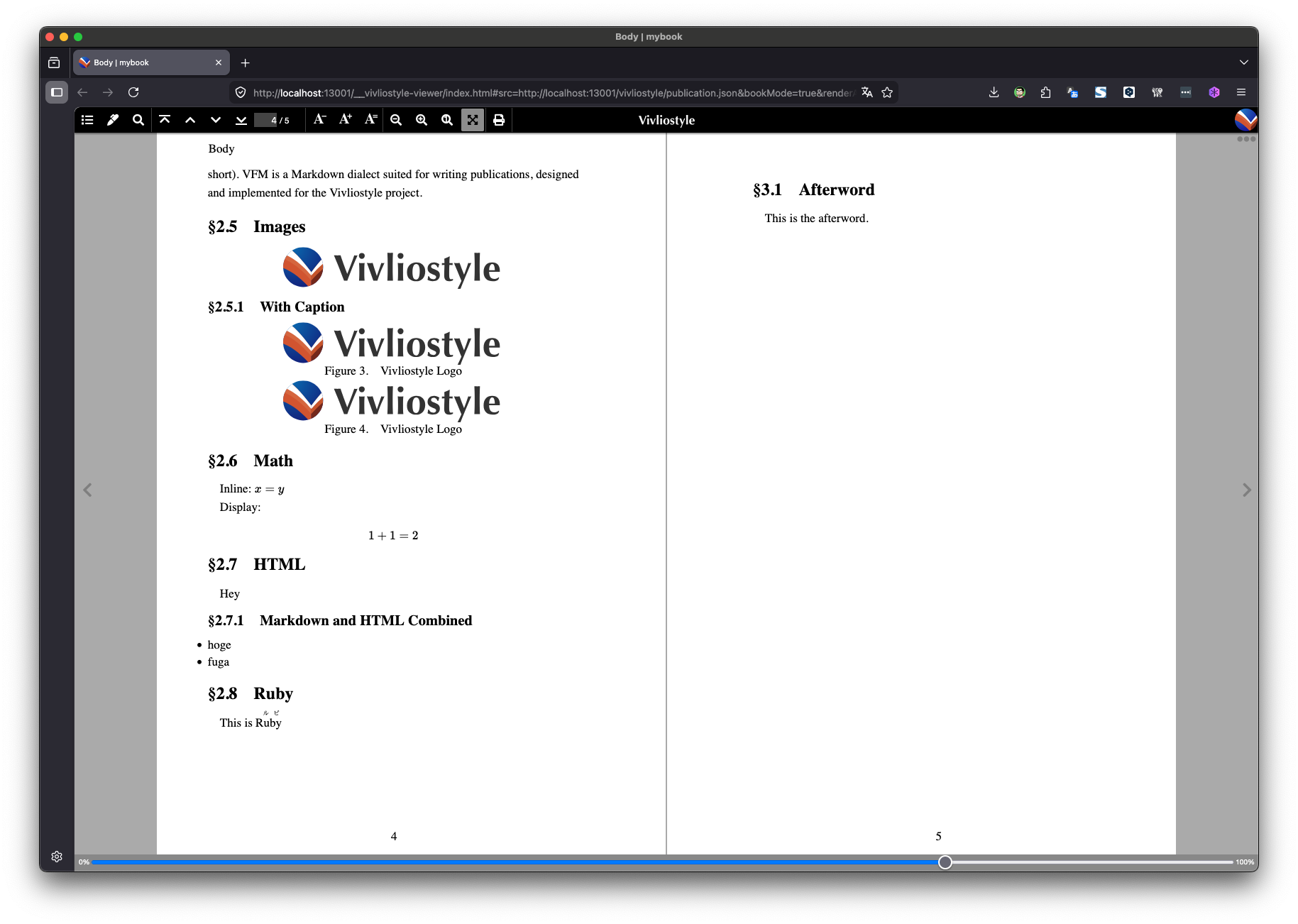
section > h1, section > h2, section > h3, section > h4, section > h5, section > h6 {
  padding: 0;
  font-weight: bold;
  break-after: avoid;
}

section > h1 {
  margin: 10pt auto 5pt;
  font-size: 14pt;
  line-height: 1.5;
  counter-increment: section;
  counter-reset: subsection;
}

section > h1::before {
  margin-right: 1rem;
  content: '§' counter(chapter) '.' counter(section) ' ';
}

section > h2 {
  margin: 8pt auto 4pt;
  font-size: 12pt;
  counter-increment: subsection;
}

section > h2::before {
  margin-right: 1rem;
  content: '§' counter(chapter) '.' counter(section) '.' counter(subsection) ' ';
}
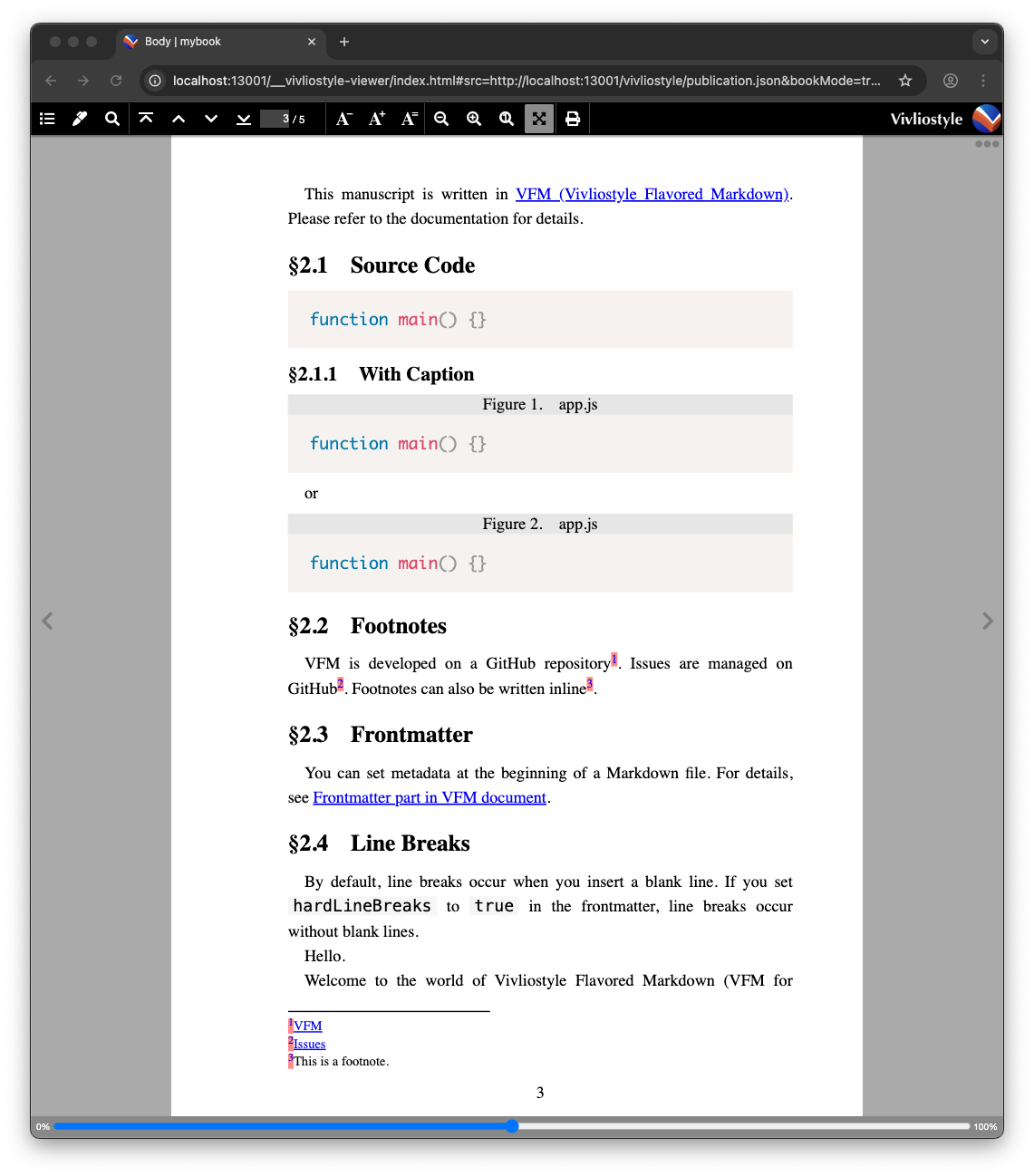
Source Code Styles
Prism.js can be used for syntax highlighting of source code. Import the Prism.js CSS and configure styles for captions, etc.
@import 'https://cdnjs.cloudflare.com/ajax/libs/prism/1.28.0/themes/prism.min.css';

code {
  background-color: #f6f6f6;
  padding: 0 3pt;
}

figure[class^='language-'] {
  margin: 0.5em 0;
}

figure[class^='language-'] figcaption {
  background-color: #e6e6e6;
}

figure[class^='language-'] pre {
  margin: 0pt;
}
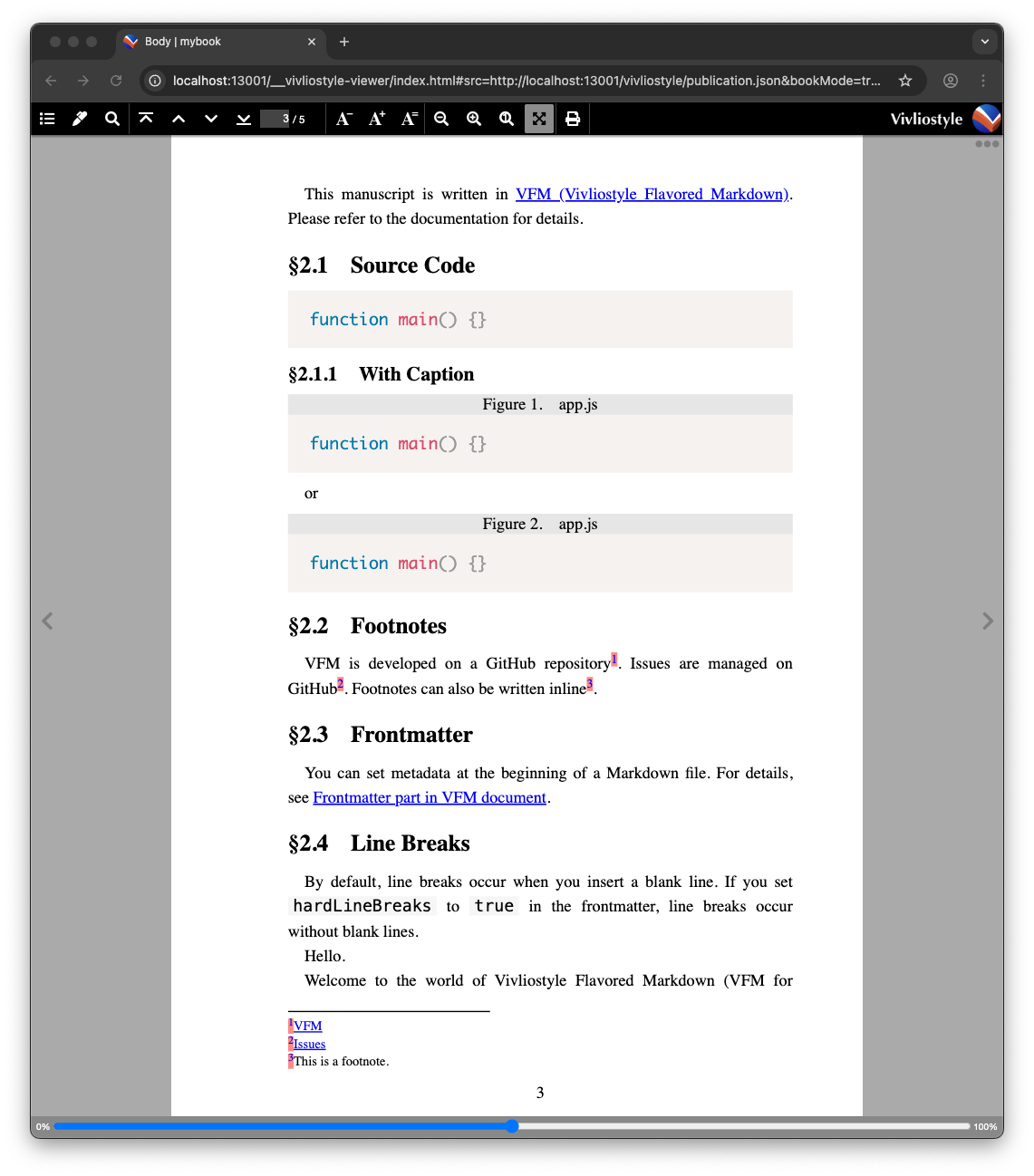
Figure Styles
Numbering figures with CSS counters is useful.
img {
  max-width: 100%;
  display: block;
  margin: 0 auto;
}

figure figcaption {
  text-align: center;
  counter-increment: figure;
}

figure figcaption::before {
  margin-right: 1rem;
  content: 'Figure ' counter(figure) '.';
}

:root:lang(ja) figure figcaption::before {
  content: '図' counter(figure) '.';
}
Footnote Styles
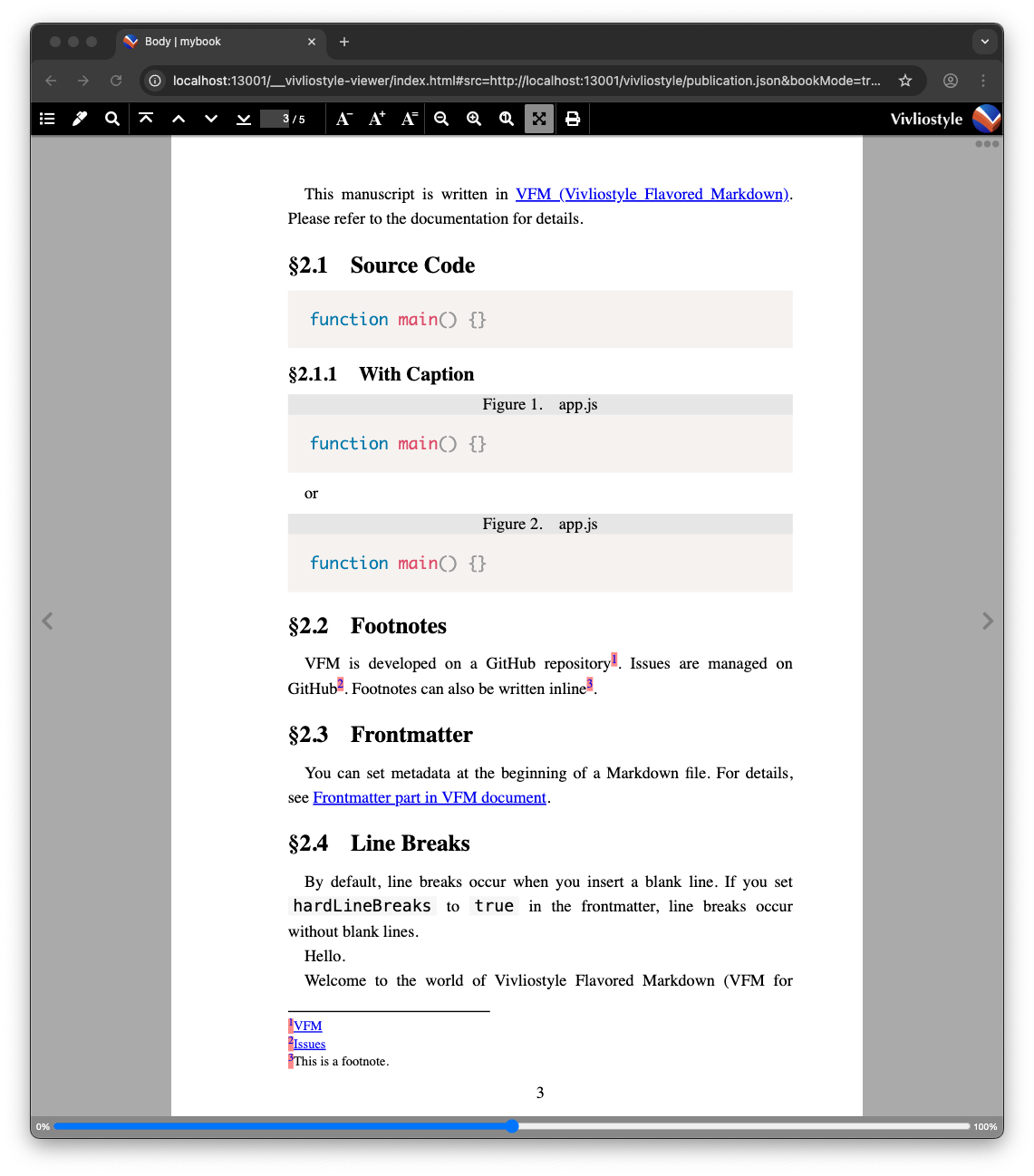
Using VFM’s dpub (DPUB-ARIA) footnote output in Vivliostyle typesets footnotes as proper footnotes placed at the bottom of each page. In the dpub format, the class footnote-ref is applied to the footnote reference, footnote-back to the back-reference (superscript footnote number, e.g. ¹), and footnote to the footnote body (<aside> element). Add the following setting to vivliostyle.config.js to enable the dpub format.
export default defineConfig({
  vfm: {
    footnote: 'dpub',
  },
  // ...
});
.footnote-ref sup {
  background-color: #ff8989;
}

.footnote-back {
  background-color: #ff8989;
}

.footnote {
  font-size: 8pt;
}
Summary
In this tutorial you defined styles for basic elements. Download the theme.css with all the styles described above using the button below.
In the next tutorial, you will create a table of contents.